Add social accounts to Search Console and read their Google traffic
Add Instagram, TikTok, X, or YouTube as a Search Console platform property. Understand first-data delays and what Google traffic says about your posts.
 Harlan Wilton
To track how people find your social content through Google, add the account as a platform property in Search Console. Google supports Instagram, TikTok, X, and YouTube. Create a separate property for each account or channel you want to inspect.
The reports describe discovery through Google. Keep the social platform's own analytics open when you need views or engagement inside that platform.
Add an account or channel
Open the Search Console welcome screen. If you're already viewing a property, you can also open the property selector and choose Add property.
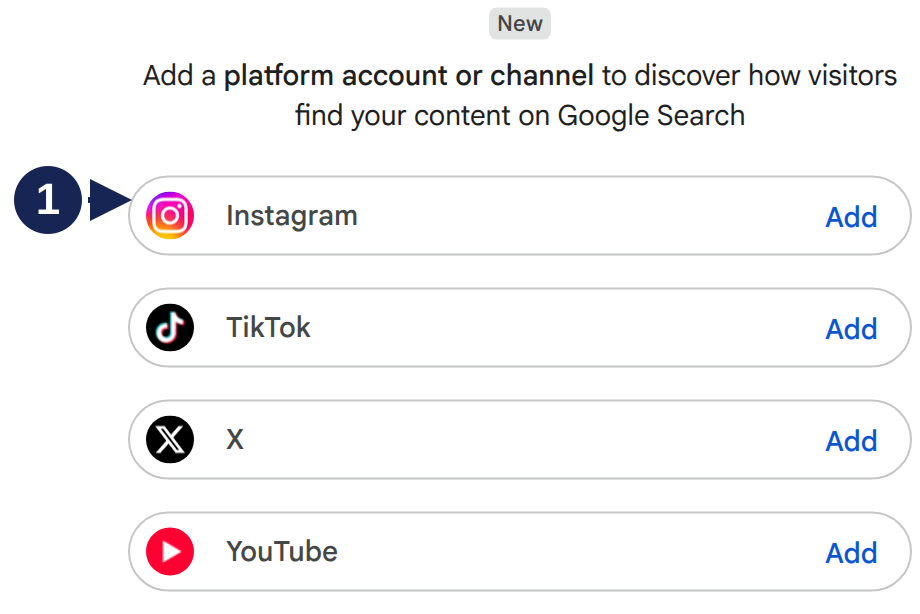
Open the platform choices at full size.
- Choose Add beside your platform.
- Follow the prompts to verify ownership of the account or channel.
- When verification succeeds, choose Go to property.
- Repeat for any other accounts you want to track.
These steps follow Google's platform-property instructions. The screenshot verifies the starting choices; it doesn't demonstrate each platform's sign-in flow.
If you've already claimed your Search profile, Google says its verified accounts are added automatically. Check the property selector before creating another property.
Give a new property time to collect data
An empty chart immediately after setup doesn't establish that Google sends you no traffic. Google says first data can take a few days. A new property's chart covers the days since collection started, even when the selected date range is longer.
Record when collection began before writing your first monthly report. Comparing a few collected days with a complete month would give you an uneven baseline. Google's data-availability guidance explains this initial period.
Find the posts people discover through Google
Start with Insights for an overview, then use the Performance report to inspect posts and search terms. Google's social and video analysis guide explains how these views connect to content decisions.
Suppose a cooking video gets attention inside TikTok but little traffic from Google. That doesn't make either report wrong: they're describing different ways people discovered it. If another video attracts Google searches about a specific recipe, inspect those search terms before deciding what follow-up content to make.
Use the same account and dates for each comparison. A channel-level result and an individual post answer different questions. Keep your own note of which content you included, especially when comparing accounts on several platforms.
Discover and Google News reports appear only when the content receives traffic from those surfaces. A missing report doesn't show how the post performed inside Instagram, TikTok, X, or YouTube.
If access disappears
Google periodically checks ownership. If the connection expires, follow the verification prompts again. Google says re-verification restores access to the same report without waiting for data to accumulate again. See connection maintenance.
Google announced global availability on 29 July 2026. Some Help text still describes a gradual rollout. The four starting choices were visible in the account captured here; that observation doesn't verify every platform's completed connection or API access.